> ## Documentation Index
> Fetch the complete documentation index at: https://docs.bigmodel.cn/llms.txt
> Use this file to discover all available pages before exploring further.

# Vidu Q1

## 概览

Vidu Q1 是 Vidu 新一代视频生成大模型，聚焦高质量视频创作，固定输出 5 秒、24 帧、1080P 规格内容。凭借对清晰度的深度优化，画质质感大幅跃升，手部穿模、画面抖动等问题显著改善；写实风格逼近真实场景，2D 动画画风精准保持，首尾帧转场更加丝滑，适用于影视、广告、动漫短剧等高要求创作场景。

<Tabs>
  <Tab title="viduq1-image">
    <CardGroup cols={4}>
      <Card title="能力" icon={<svg style={{maskImage: "url(https://mintcdn.com/zhipu-ef7018ed/6jZAOYw-eXEZh1pv/resource/icon/bolt.svg?fit=max&auto=format&n=6jZAOYw-eXEZh1pv&q=85&s=69a953a610be765badc883ce49686389)", WebkitMaskImage: "url(https://mintcdn.com/zhipu-ef7018ed/6jZAOYw-eXEZh1pv/resource/icon/bolt.svg?fit=max&auto=format&n=6jZAOYw-eXEZh1pv&q=85&s=69a953a610be765badc883ce49686389)", maskRepeat: "no-repeat", maskPosition: "center center",}} className={"h-6 w-6 bg-primary dark:bg-primary-light !m-0 shrink-0"} />}>
        图生视频
      </Card>

      <Card title="时长" icon={<svg style={{maskImage: "url(https://mintcdn.com/zhipu-ef7018ed/6jZAOYw-eXEZh1pv/resource/icon/clock.svg?fit=max&auto=format&n=6jZAOYw-eXEZh1pv&q=85&s=01942bdb6d8270b01215f52b5fe64363)", WebkitMaskImage: "url(https://mintcdn.com/zhipu-ef7018ed/6jZAOYw-eXEZh1pv/resource/icon/clock.svg?fit=max&auto=format&n=6jZAOYw-eXEZh1pv&q=85&s=01942bdb6d8270b01215f52b5fe64363)", maskRepeat: "no-repeat", maskPosition: "center center",}} className={"h-6 w-6 bg-primary dark:bg-primary-light !m-0 shrink-0"} />}>
        5s
      </Card>

      <Card title="清晰度" icon={<svg style={{maskImage: "url(https://mintcdn.com/zhipu-ef7018ed/6jZAOYw-eXEZh1pv/resource/icon/eye.svg?fit=max&auto=format&n=6jZAOYw-eXEZh1pv&q=85&s=6b122d35262105038324f60f9e09612e)", WebkitMaskImage: "url(https://mintcdn.com/zhipu-ef7018ed/6jZAOYw-eXEZh1pv/resource/icon/eye.svg?fit=max&auto=format&n=6jZAOYw-eXEZh1pv&q=85&s=6b122d35262105038324f60f9e09612e)", maskRepeat: "no-repeat", maskPosition: "center center",}} className={"h-6 w-6 bg-primary dark:bg-primary-light !m-0 shrink-0"} />}>
        1080P
      </Card>

      <Card title="价格" icon={<svg style={{maskImage: "url(https://mintcdn.com/zhipu-ef7018ed/6jZAOYw-eXEZh1pv/resource/icon/coins.svg?fit=max&auto=format&n=6jZAOYw-eXEZh1pv&q=85&s=d140ba7189994790a79f83f5a763f59a)", WebkitMaskImage: "url(https://mintcdn.com/zhipu-ef7018ed/6jZAOYw-eXEZh1pv/resource/icon/coins.svg?fit=max&auto=format&n=6jZAOYw-eXEZh1pv&q=85&s=d140ba7189994790a79f83f5a763f59a)", maskRepeat: "no-repeat", maskPosition: "center center",}} className={"h-6 w-6 bg-primary dark:bg-primary-light !m-0 shrink-0"} />}>
        2.5 元 / 次
      </Card>
    </CardGroup>
  </Tab>

  <Tab title="viduq1-start-end">
    <CardGroup cols={4}>
      <Card title="能力" icon={<svg style={{maskImage: "url(https://mintcdn.com/zhipu-ef7018ed/6jZAOYw-eXEZh1pv/resource/icon/bolt.svg?fit=max&auto=format&n=6jZAOYw-eXEZh1pv&q=85&s=69a953a610be765badc883ce49686389)", WebkitMaskImage: "url(https://mintcdn.com/zhipu-ef7018ed/6jZAOYw-eXEZh1pv/resource/icon/bolt.svg?fit=max&auto=format&n=6jZAOYw-eXEZh1pv&q=85&s=69a953a610be765badc883ce49686389)", maskRepeat: "no-repeat", maskPosition: "center center",}} className={"h-6 w-6 bg-primary dark:bg-primary-light !m-0 shrink-0"} />}>
        首尾帧
      </Card>

      <Card title="时长" icon={<svg style={{maskImage: "url(https://mintcdn.com/zhipu-ef7018ed/6jZAOYw-eXEZh1pv/resource/icon/clock.svg?fit=max&auto=format&n=6jZAOYw-eXEZh1pv&q=85&s=01942bdb6d8270b01215f52b5fe64363)", WebkitMaskImage: "url(https://mintcdn.com/zhipu-ef7018ed/6jZAOYw-eXEZh1pv/resource/icon/clock.svg?fit=max&auto=format&n=6jZAOYw-eXEZh1pv&q=85&s=01942bdb6d8270b01215f52b5fe64363)", maskRepeat: "no-repeat", maskPosition: "center center",}} className={"h-6 w-6 bg-primary dark:bg-primary-light !m-0 shrink-0"} />}>
        5s
      </Card>

      <Card title="清晰度" icon={<svg style={{maskImage: "url(https://mintcdn.com/zhipu-ef7018ed/6jZAOYw-eXEZh1pv/resource/icon/eye.svg?fit=max&auto=format&n=6jZAOYw-eXEZh1pv&q=85&s=6b122d35262105038324f60f9e09612e)", WebkitMaskImage: "url(https://mintcdn.com/zhipu-ef7018ed/6jZAOYw-eXEZh1pv/resource/icon/eye.svg?fit=max&auto=format&n=6jZAOYw-eXEZh1pv&q=85&s=6b122d35262105038324f60f9e09612e)", maskRepeat: "no-repeat", maskPosition: "center center",}} className={"h-6 w-6 bg-primary dark:bg-primary-light !m-0 shrink-0"} />}>
        1080P
      </Card>

      <Card title="价格" icon={<svg style={{maskImage: "url(https://mintcdn.com/zhipu-ef7018ed/6jZAOYw-eXEZh1pv/resource/icon/coins.svg?fit=max&auto=format&n=6jZAOYw-eXEZh1pv&q=85&s=d140ba7189994790a79f83f5a763f59a)", WebkitMaskImage: "url(https://mintcdn.com/zhipu-ef7018ed/6jZAOYw-eXEZh1pv/resource/icon/coins.svg?fit=max&auto=format&n=6jZAOYw-eXEZh1pv&q=85&s=d140ba7189994790a79f83f5a763f59a)", maskRepeat: "no-repeat", maskPosition: "center center",}} className={"h-6 w-6 bg-primary dark:bg-primary-light !m-0 shrink-0"} />}>
        2.5 元 / 次
      </Card>
    </CardGroup>
  </Tab>

  <Tab title="viduq1-text">
    <CardGroup cols={4}>
      <Card title="能力" icon={<svg style={{maskImage: "url(https://mintcdn.com/zhipu-ef7018ed/6jZAOYw-eXEZh1pv/resource/icon/bolt.svg?fit=max&auto=format&n=6jZAOYw-eXEZh1pv&q=85&s=69a953a610be765badc883ce49686389)", WebkitMaskImage: "url(https://mintcdn.com/zhipu-ef7018ed/6jZAOYw-eXEZh1pv/resource/icon/bolt.svg?fit=max&auto=format&n=6jZAOYw-eXEZh1pv&q=85&s=69a953a610be765badc883ce49686389)", maskRepeat: "no-repeat", maskPosition: "center center",}} className={"h-6 w-6 bg-primary dark:bg-primary-light !m-0 shrink-0"} />}>
        文生视频
      </Card>

      <Card title="时长" icon={<svg style={{maskImage: "url(https://mintcdn.com/zhipu-ef7018ed/6jZAOYw-eXEZh1pv/resource/icon/clock.svg?fit=max&auto=format&n=6jZAOYw-eXEZh1pv&q=85&s=01942bdb6d8270b01215f52b5fe64363)", WebkitMaskImage: "url(https://mintcdn.com/zhipu-ef7018ed/6jZAOYw-eXEZh1pv/resource/icon/clock.svg?fit=max&auto=format&n=6jZAOYw-eXEZh1pv&q=85&s=01942bdb6d8270b01215f52b5fe64363)", maskRepeat: "no-repeat", maskPosition: "center center",}} className={"h-6 w-6 bg-primary dark:bg-primary-light !m-0 shrink-0"} />}>
        5s
      </Card>

      <Card title="清晰度" icon={<svg style={{maskImage: "url(https://mintcdn.com/zhipu-ef7018ed/6jZAOYw-eXEZh1pv/resource/icon/eye.svg?fit=max&auto=format&n=6jZAOYw-eXEZh1pv&q=85&s=6b122d35262105038324f60f9e09612e)", WebkitMaskImage: "url(https://mintcdn.com/zhipu-ef7018ed/6jZAOYw-eXEZh1pv/resource/icon/eye.svg?fit=max&auto=format&n=6jZAOYw-eXEZh1pv&q=85&s=6b122d35262105038324f60f9e09612e)", maskRepeat: "no-repeat", maskPosition: "center center",}} className={"h-6 w-6 bg-primary dark:bg-primary-light !m-0 shrink-0"} />}>
        1080P
      </Card>

      <Card title="价格" icon={<svg style={{maskImage: "url(https://mintcdn.com/zhipu-ef7018ed/6jZAOYw-eXEZh1pv/resource/icon/coins.svg?fit=max&auto=format&n=6jZAOYw-eXEZh1pv&q=85&s=d140ba7189994790a79f83f5a763f59a)", WebkitMaskImage: "url(https://mintcdn.com/zhipu-ef7018ed/6jZAOYw-eXEZh1pv/resource/icon/coins.svg?fit=max&auto=format&n=6jZAOYw-eXEZh1pv&q=85&s=d140ba7189994790a79f83f5a763f59a)", maskRepeat: "no-repeat", maskPosition: "center center",}} className={"h-6 w-6 bg-primary dark:bg-primary-light !m-0 shrink-0"} />}>
        2.5 元 / 次
      </Card>
    </CardGroup>
  </Tab>
</Tabs>

## 能力说明

<CardGroup cols={1}>
  <Card title="图生视频" icon={<svg style={{maskImage: "url(https://mintcdn.com/zhipu-ef7018ed/6jZAOYw-eXEZh1pv/resource/icon/image.svg?fit=max&auto=format&n=6jZAOYw-eXEZh1pv&q=85&s=e08359b6e7da6742ec2d4e6e9b7bc438)", WebkitMaskImage: "url(https://mintcdn.com/zhipu-ef7018ed/6jZAOYw-eXEZh1pv/resource/icon/image.svg?fit=max&auto=format&n=6jZAOYw-eXEZh1pv&q=85&s=e08359b6e7da6742ec2d4e6e9b7bc438)", maskRepeat: "no-repeat", maskPosition: "center center",}} className={"h-6 w-6 bg-primary dark:bg-primary-light !m-0 shrink-0"} />}>
    输入首帧图片以及对应的文本描述，生成视频。
  </Card>

  <Card title="首尾帧" icon={<svg style={{maskImage: "url(https://mintcdn.com/zhipu-ef7018ed/6jZAOYw-eXEZh1pv/resource/icon/feather.svg?fit=max&auto=format&n=6jZAOYw-eXEZh1pv&q=85&s=fe0922491e9f5f9c18209a21791882bc)", WebkitMaskImage: "url(https://mintcdn.com/zhipu-ef7018ed/6jZAOYw-eXEZh1pv/resource/icon/feather.svg?fit=max&auto=format&n=6jZAOYw-eXEZh1pv&q=85&s=fe0922491e9f5f9c18209a21791882bc)", maskRepeat: "no-repeat", maskPosition: "center center",}} className={"h-6 w-6 bg-primary dark:bg-primary-light !m-0 shrink-0"} />}>
    支持输入两张图，上传的第一张图片视作首帧图，第二张图片视作尾帧图，模型将以此参数中传入的图片来生成视频。
  </Card>

  <Card title="文生视频" icon={<svg style={{maskImage: "url(https://mintcdn.com/zhipu-ef7018ed/6jZAOYw-eXEZh1pv/resource/icon/book.svg?fit=max&auto=format&n=6jZAOYw-eXEZh1pv&q=85&s=f9a867079d7ff6967277ded330e6a683)", WebkitMaskImage: "url(https://mintcdn.com/zhipu-ef7018ed/6jZAOYw-eXEZh1pv/resource/icon/book.svg?fit=max&auto=format&n=6jZAOYw-eXEZh1pv&q=85&s=f9a867079d7ff6967277ded330e6a683)", maskRepeat: "no-repeat", maskPosition: "center center",}} className={"h-6 w-6 bg-primary dark:bg-primary-light !m-0 shrink-0"} />}>
    输入一段文本，生成视频；目前支持通用风格以及专门优化的动漫风格。
  </Card>
</CardGroup>

<Tip>
  模型生成的视频 url 链接有效期为 1 天，如有需要请尽快转存。
</Tip>

## 推荐场景

<AccordionGroup>
  <Accordion title="影视生成" defaultOpen="true">
    * 输入剧本片段、概念设计图等素材，即可生成影视宣发片、特效镜头及影片辅助素材
    * 院线级的清晰度和画质质感，完整的画面细节
    * 专业级视频转场，画面间自然过渡
  </Accordion>

  <Accordion title="动漫制作">
    * 输入角色设定稿、分镜脚本，快速输出二次元动态动画、风格化动漫短片
    * 支持国漫、日漫等风格
    * 对经典 IP 进行剧情延展与创意再生
  </Accordion>

  <Accordion title="短剧生产">
    * 输入小说章节、短剧剧本，自动生成短视频、微短剧内容
    * 覆盖言情、悬疑、古装等多元题材
    * 适配多平台分发需求
  </Accordion>

  <Accordion title="广告营销">
    * 根据产品图片与特点描述，快速生成极具吸引力的品牌广告、电商带货视频、互动类广告（如虚拟试穿）
    * 支持多平台尺寸与创意形式适配
  </Accordion>

  <Accordion title="文旅宣传">
    * 输入景点照片、文旅宣传文案，一键生成沉浸式文旅宣传片、旅行 MV
    * 结合文化 IP（如历史文物、城市符号），打造互动式数字体验内
  </Accordion>
</AccordionGroup>

## 使用资源

[接口文档](/api-reference/%E6%A8%A1%E5%9E%8B-api/%E8%A7%86%E9%A2%91%E7%94%9F%E6%88%90%E5%BC%82%E6%AD%A5)：API 调用方式

## 详细介绍

<Steps>
  <Step title="影视级的画质清晰度" titleSize="h3">
    模型对画面细节的还原力全面升级。

    <video src="https://cdn.bigmodel.cn/static/platform/videos/usage-guide/vidu/q1-1.mp4" controls />
  </Step>

  <Step title="精准解决画面崩坏" stepNumber={2} titleSize="h3">
    动作自然流畅，电商直播带货视频里，主播展示商品时的手部姿态精准合规；画面抖动借助动态帧补偿技术优化， 哪怕是运动镜头（如跑步跟拍、车辆行驶视角），也能保持丝滑稳定。

    <video src="https://cdn.bigmodel.cn/static/platform/videos/usage-guide/vidu/q1-2.mp4" controls />
  </Step>

  <Step title="多艺术形态的风格表现" stepNumber={3} titleSize="h3">
    写实风格追求 “以假乱真”，城市宣传片里的街景、人物肖像都能逼真呈现；动画风格聚焦 “原汁原味”，从日式手绘风的线条笔触，到美式卡通的色彩饱和度，都能精准还原。输入动漫角色设定，生成的动态剧情片段，与原 IP 画风高度契合，助力 IP 衍生内容创作效率的提升。

    <Tabs>
      <Tab title="写实风格">
        <video src="https://cdn.bigmodel.cn/static/platform/videos/usage-guide/vidu/q1-3.mp4" controls />
      </Tab>

      <Tab title="动画风格">
        <video src="https://cdn.bigmodel.cn/static/platform/videos/usage-guide/vidu/q1-4.mp4" controls />
      </Tab>
    </Tabs>
  </Step>

  <Step title="行业标杆级转场流畅度" stepNumber={4} titleSize="h3">
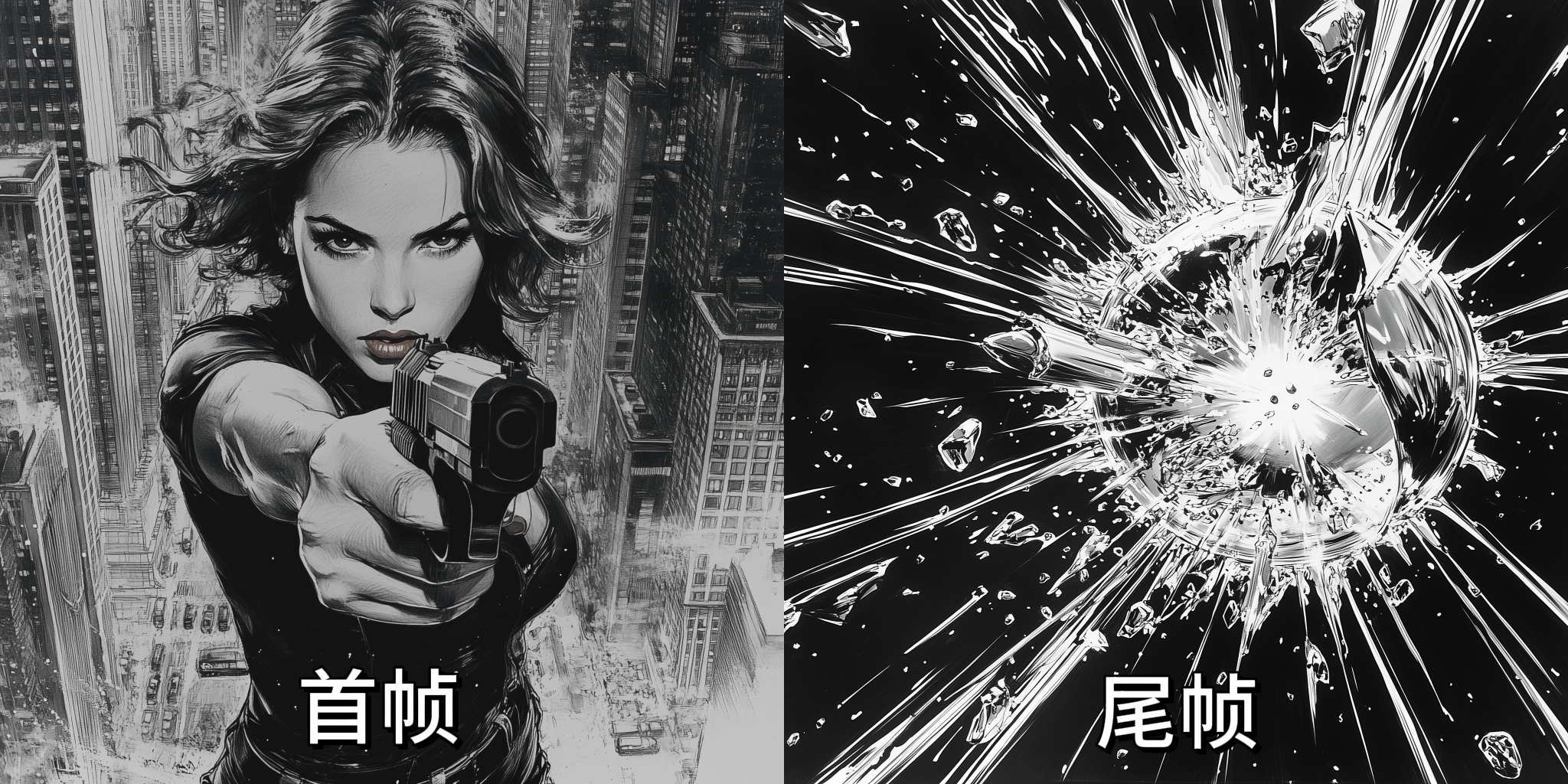
    首尾帧转场技术再创新高，通过动态帧预测 + 风格融合算法，让镜头衔接突破 “机械拼接” 局限。

    ![Description](https://cdn.bigmodel.cn/markdown/175022732848820250618-141521.png?attname=20250618-141521.png)

    <video src="https://cdn.bigmodel.cn/static/platform/videos/usage-guide/vidu/q1-5.mp4" controls />
  </Step>
</Steps>

## 调用示例

### 文生视频

<Tabs>
  <Tab title="cURL">
    ```shell theme={null}
    curl --location --request POST 'https://open.bigmodel.cn/api/paas/v4/videos/generations' \
         --header 'Authorization: YOUR_API_KEY' \
         --header 'Content-Type: application/json' \
         --data-raw '{
             "model": "viduq1-text",
             "style": "anime",
             "prompt": "比得兔开小汽车，游走在马路上，脸上的表情充满开心喜悦。",
             "duration": 5,
             "aspect_ratio": "16:9",
             "size": "1920x1080",
             "movement_amplitude": "auto"
    }'
    ```
  </Tab>

  <Tab title="python">
    **安装 SDK**

    ```bash theme={null}
    # 安装最新版本
    pip install zai-sdk
    # 或指定版本
    pip install zai-sdk==0.2.3
    ```

    **验证安装**

    ```python theme={null}
    import zai
    print(zai.__version__)
    ```

    **调用示例**

    ```python theme={null}
    from zai import ZhipuAiClient

    client = ZhipuAiClient(api_key="YOUR_API_KEY")
    response = client.videos.generations(
        model="viduq1-text",
        prompt="Peter Rabbit driving a car, wandering on the road, with a happy and joyful expression on his face.",
        style="general",
        duration=5,
        aspect_ratio="16:9",
        size="1920x1080",
        movement_amplitude="auto"
    )

    print(response)
    ```
  </Tab>
</Tabs>

### 图生视频

<Tabs>
  <Tab title="cURL">
    ```shell theme={null}
    curl --location --request POST 'https://open.bigmodel.cn/api/paas/v4/videos/generations' \
    --header 'Authorization: YOUR_API_KEY' \
    --header 'Content-Type: application/json' \
    --data-raw '{
    "model":"viduq1-image",
    "image_url":"https://example.com/path/to/your/image.jpg",
    "prompt":"比得兔开小汽车，游走在马路上，脸上的表情充满开心喜悦。",
    "duration":5,
    "size":"1920x1080",
    "movement_amplitude":"auto"
    }'
    ```
  </Tab>

  <Tab title="python">
    **安装 SDK**

    ```bash theme={null}
    # 安装最新版本
    pip install zai-sdk
    # 或指定版本
    pip install zai-sdk==0.2.3
    ```

    **验证安装**

    ```python theme={null}
    import zai
    print(zai.__version__)
    ```

    **调用示例**

    ```python theme={null}
    from zai import ZhipuAiClient

    client = ZhipuAiClient(api_key="YOUR_API_KEY")
    response = client.videos.generations(
        model="viduq1-image",
        image_url="https://example.com/path/to/your/image.jpg",
        prompt="Peter Rabbit driving a car, wandering on the road, with a happy and joyful expression on his face.",
        duration=5,
        size="1920x1080",
        movement_amplitude="auto"
    )

    print(response)
    ```
  </Tab>
</Tabs>

### 首尾帧

<Tabs>
  <Tab title="cURL">
    ```shell theme={null}
    curl --location --request POST 'https://open.bigmodel.cn/api/paas/v4/videos/generations' \
    --header 'Authorization: YOUR_API_KEY' \
    --header 'Content-Type: application/json' \
    --data-raw '{
        "model":"viduq1-start-end",
        "image_url":["https://example.com/path/to/your/image.jpg","https://example.com/path/to/your/image1.jpg"],
        "prompt":"比得兔开小汽车，游走在马路上，脸上的表情充满开心喜悦。",
        "duration":5,
        "size":"1920x1080",
        "movement_amplitude":"auto"
    }'
    ```
  </Tab>

  <Tab title="python">
    **安装 SDK**

    ```bash theme={null}
    # 安装最新版本
    pip install zai-sdk
    # 或指定版本
    pip install zai-sdk==0.2.3
    ```

    **验证安装**

    ```python theme={null}
    import zai
    print(zai.__version__)
    ```

    **调用示例**

    ```python theme={null}
    from zai import ZhipuAiClient

    client = ZhipuAiClient(api_key="YOUR_API_KEY")
    response = client.videos.generations(
        model="viduq1-start-end",
        image_url=[sample_first_frame, sample_last_frame],
        prompt="Peter Rabbit driving a car, wandering on the road, with a happy and joyful expression on his face.",
        duration=5,
        size="1920x1080",
        movement_amplitude="auto"
    )

    print(response)
    ```
  </Tab>
</Tabs>

## 用户并发权益

API 调用会受到速率限制，当前我们限制的维度是请求并发数量（在途请求任务数量）。不同等级的用户并发保障如下：

| V0 | V1 | V2 | V3 |
| :- | :- | :- | :- |
| 5  | 10 | 15 | 20 |